
Shutterfly: Prints Cards Gifts
Shutterfly, IncPhotography
4.691.53K Reviews
- Version
- 13.16.0
- Installs
- 10.00M
- Age Rating
- Everyone
Screenshots
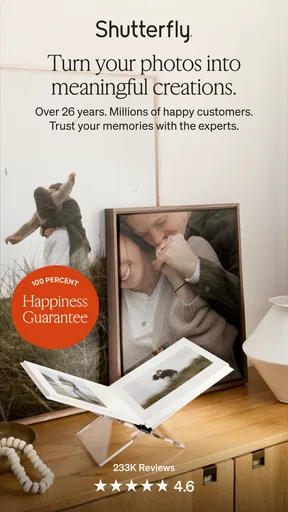
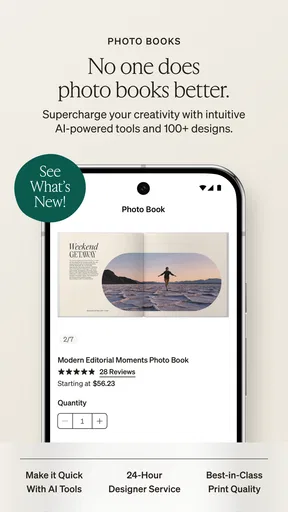
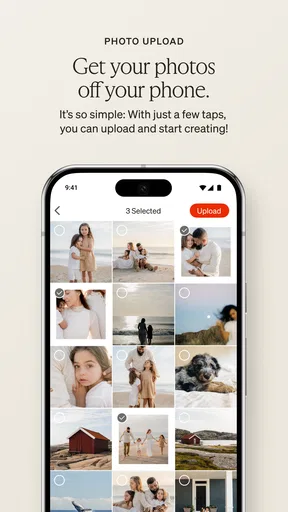
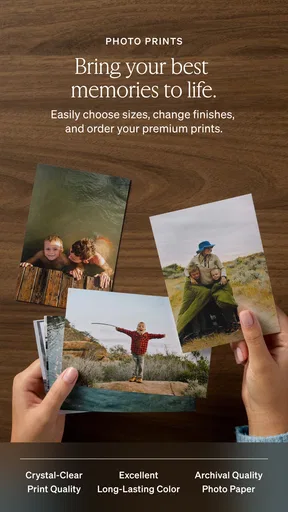
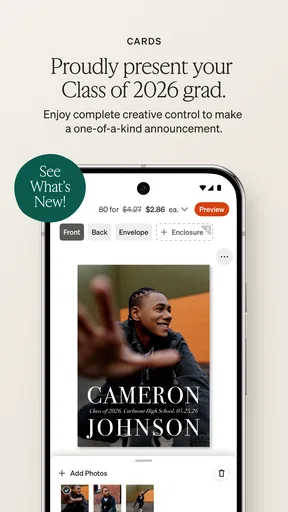

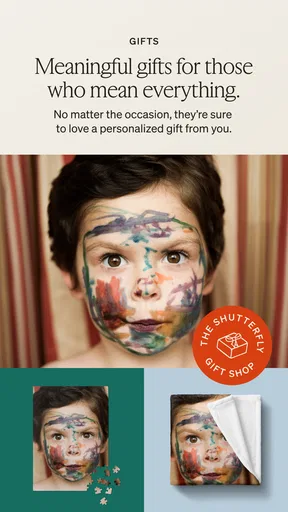
Our Review of Shutterfly: Prints Cards Gifts
 Analysis by Appyee
When I use Shutterfly, I think of it less as a photo gallery and more as a way to turn pictures already sitting on my phone into something I can actually give to someone. The app focuses on custom prints, cards, photo books, gifts, and related projects, so its main appeal is the step after taking a photo: choosing a format, arranging memories, and ordering a physical result. That makes it different from an ordinary editing app, where the finished image usually stays on the screen.
Developed by Shutterfly, Inc, this free photography app is aimed at everyday users rather than professional designers. It is rated for Everyone, works on Android 8.0 and later, and has been available since June 11, 2013. Its current version is 13.16.0. The app has built a substantial audience, with over 10 million installs, a 4.6 average from around 233 thousand ratings, and roughly 92 thousand written reviews. Those figures suggest that the service is familiar to many people, although popularity does not remove the need to check each project carefully before ordering.
Turning phone photos into physical projects
I find that the most useful way to approach a photo project is to make the first choices while the images are fresh, then leave the detailed arranging for when I have a steadier connection and time to review. That keeps a small gift from turning into a long session of searching through the camera roll. It also raises a practical question: how does the app fit into the brief, interrupted moments when I usually have my phone in hand?
The capability that matters most
The strongest part of Shutterfly is the bridge between a personal photo collection and a finished keepsake. I can start with pictures from a recent outing, a family gathering, a child’s school event, or a simple everyday moment, then shape them into a card, book, print, or gift. The important change is not a new camera effect. It is the ability to make a decision about what those images are for.
That sounds straightforward, but it affects how I select photos. In a normal gallery, I tend to keep scrolling and leave images buried among screenshots and duplicates. A project gives the collection a purpose. A small group of pictures can become a thank-you card, while a larger set can tell the story of a trip or a year. I find that useful because the app encourages editing choices based on the recipient and occasion rather than on whatever image happens to look impressive on a screen.
The experience is especially appealing if you are not comfortable with design software. You do not need to build every page from an empty canvas or understand print terminology before beginning. The app is designed around guided creation, which lowers the barrier for someone who wants a personal result without learning a full desktop publishing tool.
At the same time, I would not describe it as a replacement for a dedicated image editor. Its value is the complete path from photo selection to a physical item. If your goal is detailed retouching, layered composition, color grading, or precise control over every pixel, a specialized editor remains the better choice. Shutterfly is about making and ordering, not about turning a phone into a professional studio.
What changes when a picture becomes a card or book
A single photo can work well as a print, but a collection needs structure. I pay more attention to sequence, repetition, and empty space once I am arranging a book or card. Two nearly identical photographs may be fine in a camera roll, yet feel wasteful when placed next to each other. A weak image can also become more noticeable when surrounded by stronger ones.
My practical advice is to choose the story before decorating it. I first gather the images I definitely want, remove blurry or repetitive shots, and only then experiment with layouts. This prevents the design choices from driving the content. It also makes the process less tiring on a phone, where moving between a large photo collection and a developing project can otherwise become confusing.
Another useful habit is to view the whole project as a sequence rather than checking only individual pages. A page may look attractive alone but create an awkward jump from the previous one. In a photo book, alternating close-up portraits with wider scene-setting images usually gives the story more breathing room. In a card, the main image needs to remain clear at a smaller size, so a busy group shot may be less effective than a simple portrait or landscape.
How I use the app in practice
I begin by deciding what I want to make and who will receive it. That sounds obvious, but it prevents a common mistake: collecting dozens of photos before choosing a format. A birthday card, a small print, and a photo book each ask for a different amount of material. Starting with the purpose helps me avoid building an overcomplicated project that I later abandon.
Next, I select images with the final physical size in mind. A photo that looks sharp and balanced on a phone may not have the same impact when cropped into a particular layout. I look for faces near the center when possible, leave room around important subjects, and avoid assuming that every image will fit without trimming. This is one of the places where patience matters more than creativity.
After that, I work through the available arrangement and personalization choices. I prefer to make the first version simple, then add text or decorative elements only when they help the recipient understand the occasion. Too many visual additions can compete with the photograph. The app makes personal projects approachable, but it cannot decide whether a design feels sincere or cluttered; that judgment still belongs to me.
Before completing an order, I review every page or image at a slower pace than I used during creation. I check spelling, image order, faces near edges, and any crop that changes the meaning of a picture. I also look at the project from the recipient’s point of view. A book made for grandparents may benefit from clear, familiar images, while a casual friend might appreciate a more spontaneous sequence. This final review is the difference between a thoughtful keepsake and a rushed one.
A realistic everyday scenario
Imagine returning from a family weekend with a crowded camera roll. There are scenic views, meals, group photos, and several nearly identical pictures of the children. Instead of sending the same handful of images through a chat, I would use Shutterfly to narrow the collection into a small story. I might choose an opening image that establishes the place, follow it with a few candid moments, and finish with a group photograph.
The benefit is not simply having another copy of the photos. The process forces me to edit the memory into something readable. A recipient can hold it, revisit it, and understand why those particular images were chosen. That is where the app earns its place for me: it turns an unorganized collection into a deliberate gesture without requiring a separate computer workflow.
There is also a practical advantage for people who do not regularly print pictures. The phone is already where many memories begin, so moving from the camera roll into a project feels more natural than transferring files, opening desktop software, and learning a new print service. That convenience is likely to matter most when the goal is a personal present rather than a technically perfect reproduction.
Where the experience has friction
The same guided approach that makes creation approachable can feel limiting to users who want exact control. I sometimes have a clear visual idea that does not fit comfortably into a ready-made arrangement. When that happens, I have to compromise between the layout offered and the image I want to emphasize. Someone who enjoys designing from scratch may prefer a more flexible desktop tool.
Phone-based creation can also become tiring for larger projects. Selecting many images, checking their order, and reviewing each page requires concentration on a relatively small screen. I would be comfortable creating a modest project on a phone, but for a long book with many images, a larger display would make comparison and proofreading easier. The app’s convenience does not eliminate the basic difficulty of organizing a large collection.
Another trade-off is the difference between an attractive preview and a satisfying physical result. On-screen images are bright and backlit, while printed material has a different appearance and texture. I avoid judging a design only by how vivid it looks on my phone. Photos with subtle shadows or very dark areas deserve extra attention, as do images that depend on a precise crop. This is not a flaw unique to Shutterfly, but it is an important part of using any mobile-to-print service responsibly.
I also think about the emotional cost of over-personalization. A project can contain too many captions, borders, and visual accents, especially when the creator is excited about the available choices. My best results usually come from restraint: a clear image, a short message, and a sequence that lets the photographs carry the meaning. The app can help me assemble the object, but it cannot substitute for editing taste.
How it compares with familiar alternatives
Compared with keeping everything in a phone gallery, Shutterfly offers a clear advantage: it gives the images a physical destination. A gallery is excellent for storing and browsing, but it depends on the recipient opening a device and finding the right folder. A printed project is more intentional and can be displayed or revisited without searching through a stream of newer photos.
Compared with sending images through messaging or social media, the app is better suited to a planned gift. Chat is faster for sharing a moment immediately, but it can scatter the images across conversations and make them easy to overlook. A card or book takes more effort, yet that effort is part of the message. I would choose messaging for speed and Shutterfly when the memory itself is the present.
Compared with a general design application, Shutterfly feels more focused on the finished physical item. A design app may give me deeper control over typography, layers, and composition, but then I may need another service to produce the result. Shutterfly reduces that separation. The trade-off is that I accept a more guided creative process in exchange for a simpler route from idea to order.
Compared with a traditional photo editor, it serves a different purpose altogether. An editor is the right tool when I need to repair an image, remove distractions, or make detailed adjustments before sharing it anywhere. Shutterfly becomes more useful after those decisions, when I want to collect the finished images into something tangible. I often see the two types of app as complementary rather than competing.
Small workflow decisions that improve results
One non-obvious tip is to create a temporary shortlist before committing to a project. I choose more images than I expect to use, then remove anything that repeats the same expression, angle, or background. This gives me flexibility without allowing the project to become a dumping ground for the entire camera roll.
A second is to treat text as part of the layout, not as an afterthought. I keep captions short and check whether they add context that the photo cannot provide. A date, place, or personal sentence can make a book easier to understand years later, but a long explanation may shrink the visual space and distract from the image. I also proofread names carefully because a small spelling error is much more noticeable in a permanent gift.
A third is to arrange the emotional rhythm of the project. I avoid placing every strongest photo at the beginning. A quieter image can provide a pause, and a final group shot or meaningful detail can make the ending feel deliberate. This is especially helpful for travel or family projects, where the order can turn disconnected pictures into a story.
A fourth is to make a test decision about cropping before adding decoration. If the subject is already close to an edge, a layout that trims the frame may cut off an important detail. I would rather change the image selection or arrangement early than finish the design and discover that the main person is awkwardly positioned. This simple check saves time and protects the meaning of the photograph.
Who will get the most from it
I think Shutterfly is a strong fit for people who take many photos but rarely do anything with them afterward. It gives those images a practical next step without demanding advanced design knowledge. Families, travelers, people preparing personal cards, and anyone looking for a more thoughtful alternative to a digital message are natural users.
It is also useful for someone who wants to make a gift gradually. I can collect a few meaningful images, return to the idea, and refine the project instead of trying to produce everything in one sitting. That slower approach suits occasions where the value comes from choosing the right memories rather than buying something generic.
I would be more cautious about recommending it to professional photographers, demanding designers, or users who need precise print-production control. If exact color management, complex typography, advanced retouching, or unrestricted layout work is central to the project, a specialized workflow will likely be more satisfying. I would also skip it for a person who only needs instant photo sharing; the physical-project focus adds steps that are unnecessary for quick communication.
For Android users, the minimum requirement of Android 8.0 or later makes the app accessible on a broad range of devices, while the Everyone age rating reflects its general-purpose nature. The free entry point is helpful for exploring the creative workflow before deciding whether it suits a particular project. I still approach each order thoughtfully, because the app’s ease of use can encourage me to add more pages, images, or decoration than the idea really needs.
My final assessment
After using Shutterfly as a way to move memories from my phone into physical projects, I see its main strength clearly: it makes the act of preserving and gifting photos feel manageable. The app is not trying to be the deepest editor or the most flexible design studio. Instead, it focuses my attention on choosing images, arranging them for a person, and completing a keepsake through one connected workflow.
That focus works best when I begin with a clear purpose and accept that simplicity often looks better than decoration. The app saves time compared with building a design from scratch, but it still rewards careful image selection, proofreading, and a final review of every crop. Its limitations become noticeable with large projects or highly specific layouts, yet those limits are reasonable for users who value guidance over total control.
My recommendation is straightforward: choose Shutterfly if you want to turn ordinary phone photos into a personal card, print, book, or gift and prefer a guided process. Choose a dedicated editor or desktop design workflow when technical precision matters more than convenience. For the right user, this photography app does something a gallery cannot: it helps a digital memory leave the screen and become an object someone can keep.
Verdict
Strengths of Shutterfly: Prints Cards Gifts
- Easy photo uploads from your phone, computer, or connected accounts.
- Frequent discounts can make prints and photo gifts more affordable.
- Many customizable layouts are available for cards and photo books.
- Offers a wide range of personalized gifts beyond standard photo prints.
- Saved projects make it convenient to return and finish an order later.
Limitations of Shutterfly: Prints Cards Gifts
- Some premium products become expensive without promotional pricing.
- Editing tools can feel limited compared with dedicated photo-editing apps.
- Large projects may take time to upload, process, and preview.
- Shipping costs can significantly increase the final order price.
- Print colors may vary slightly from how photos appear on your screen.
Similar Picks in This Category
View All
Google Photos
Google LLC4.4

Gallery
Google LLC4.2

Picsart AI Photo Editor, Video
PicsArt, Inc.3.9

B612 AI Photo&Video Editor
SNOW Corporation4.1

BeautyPlus-Selfie Photo Editor
PIXOCIAL TECHNOLOGY (SINGAPORE) PTE. LTD.4.5

Remini - AI Photo Enhancer
Bending Spoons4.1
Frequently Asked Questions
What is Shutterfly: Prints Cards Gifts used for?
Shutterfly is a photo-printing and personalized-gift app that lets you upload pictures from your phone and turn them into products such as photo books, prints, calendars, cards, wall art, mugs, blankets, and other keepsakes. The app is especially useful for preserving family memories, preparing holiday cards, or creating customized gifts without needing separate design software.
Can I create and order photo books, cards, and gifts directly from the app?
Yes. After selecting photos from your device or connected accounts, you can choose a product, apply a template, arrange images, add text, and preview the finished design before ordering. The editing tools are generally accessible for beginners, although larger projects can take time because you may want to review image placement, cropping, spelling, and product options carefully before checkout.
Is Shutterfly: Prints Cards Gifts free to download and use?
The app is typically free to download, and you can browse products, upload photos, and design projects without paying an upfront subscription fee. However, completed products, delivery, taxes, and any optional upgrades cost extra. Shutterfly may also offer promotions, credits, or free-print deals, but these offers can have expiration dates, minimum-order requirements, shipping charges, or restrictions.
How long does Shutterfly take to print and deliver an order?
Production and delivery times depend on the item you order, the shipping method, the destination, and seasonal demand. Standard photo prints may arrive sooner than photo books, calendars, or customized gifts, which require additional production time. Before payment, the app normally displays an estimated arrival range. It is best to order early for birthdays, holidays, weddings, or other important dates.
Are my photos safe, and can I edit or cancel an order after placing it?
Shutterfly requires access to selected photos so it can create your projects, and you should review the app’s current privacy policy and permission settings before uploading personal images. Editing or cancellation options may be limited once an order enters production. If you notice an error, contact customer support immediately, because changes are generally easier before printing begins than afterward.
